Personal data, privacy and cookies
Find BASH’s privacy documents and ask for a copy, correction or deletion of personal data.
This guide explains where to find BASH’s privacy information and how to make a request about personal data. The linked policies contain the full terms.
Find the relevant policy
- Privacy Policy: what personal data BASH processes, why it is processed, retention and your privacy rights.
- Cookie Notice: cookies, consent and browser controls.
- Terms & Conditions: the terms for using BASH, including data processing for organisers.
Understand who handles the data
When BASH processes event data on an organiser’s instructions, the organiser is the data controller and BASH acts as a processor. BASH also acts as a controller for some of its own services and purposes. The Privacy Policy explains these roles.
If your request concerns an event, you can contact its organiser or BASH. BASH may need to help the organiser handle the request or forward it to them.
Request a copy, correction or deletion
- Email legal@bash.social.
- Explain what you want to receive, correct or delete.
- Include the email address you use with BASH and the relevant event or organisation, if applicable.
BASH can then assess your request and may ask for information needed to identify the relevant data. Do not send passwords, verification codes or private ticket links.
Deleting an account or ending a service does not mean every record can be removed immediately. The Privacy Policy explains retention requirements and exceptions.
Export people from your organisation
You need permission to manage the organisation’s audience.
- Open Audience, then People in your organisation dashboard.
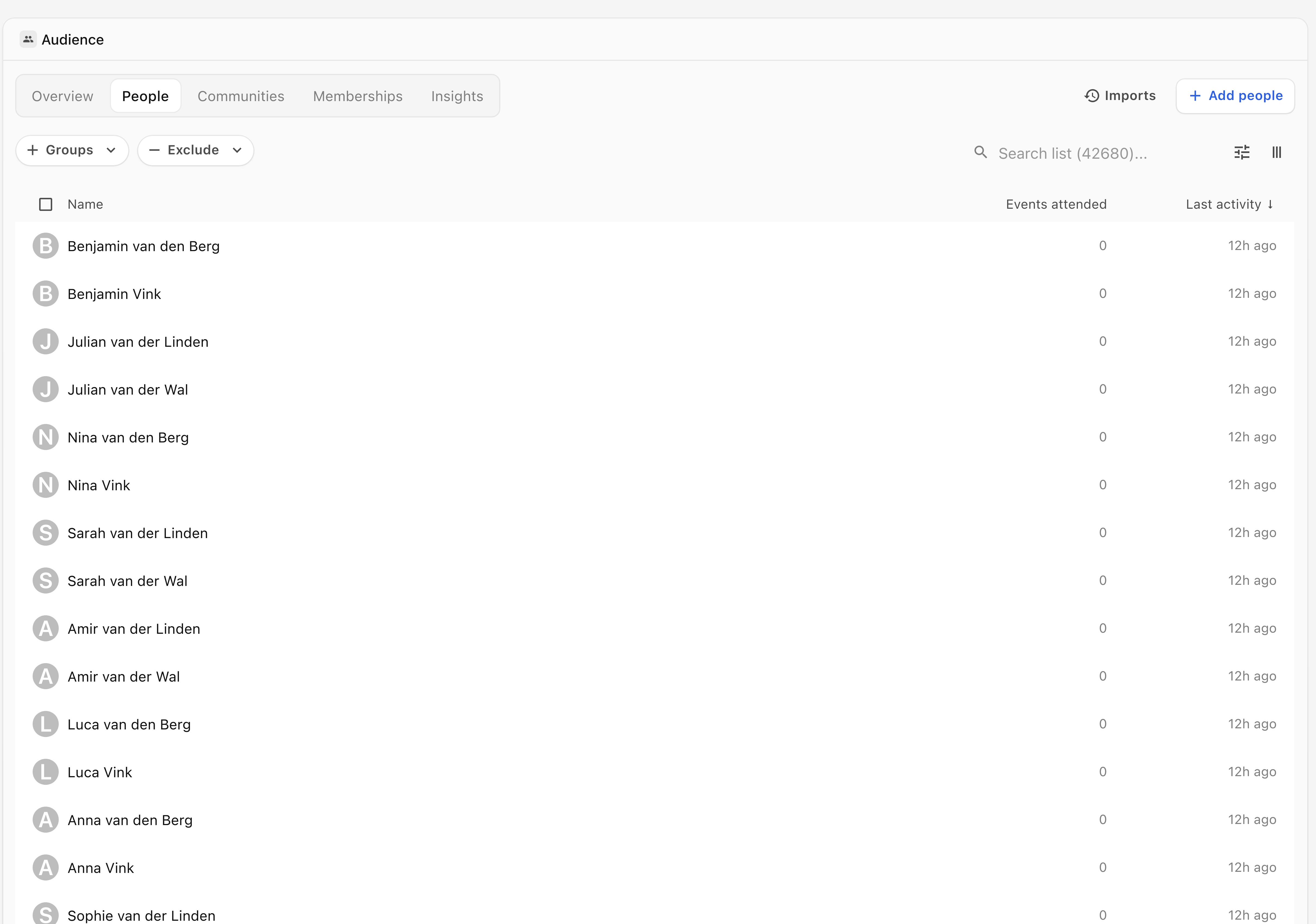
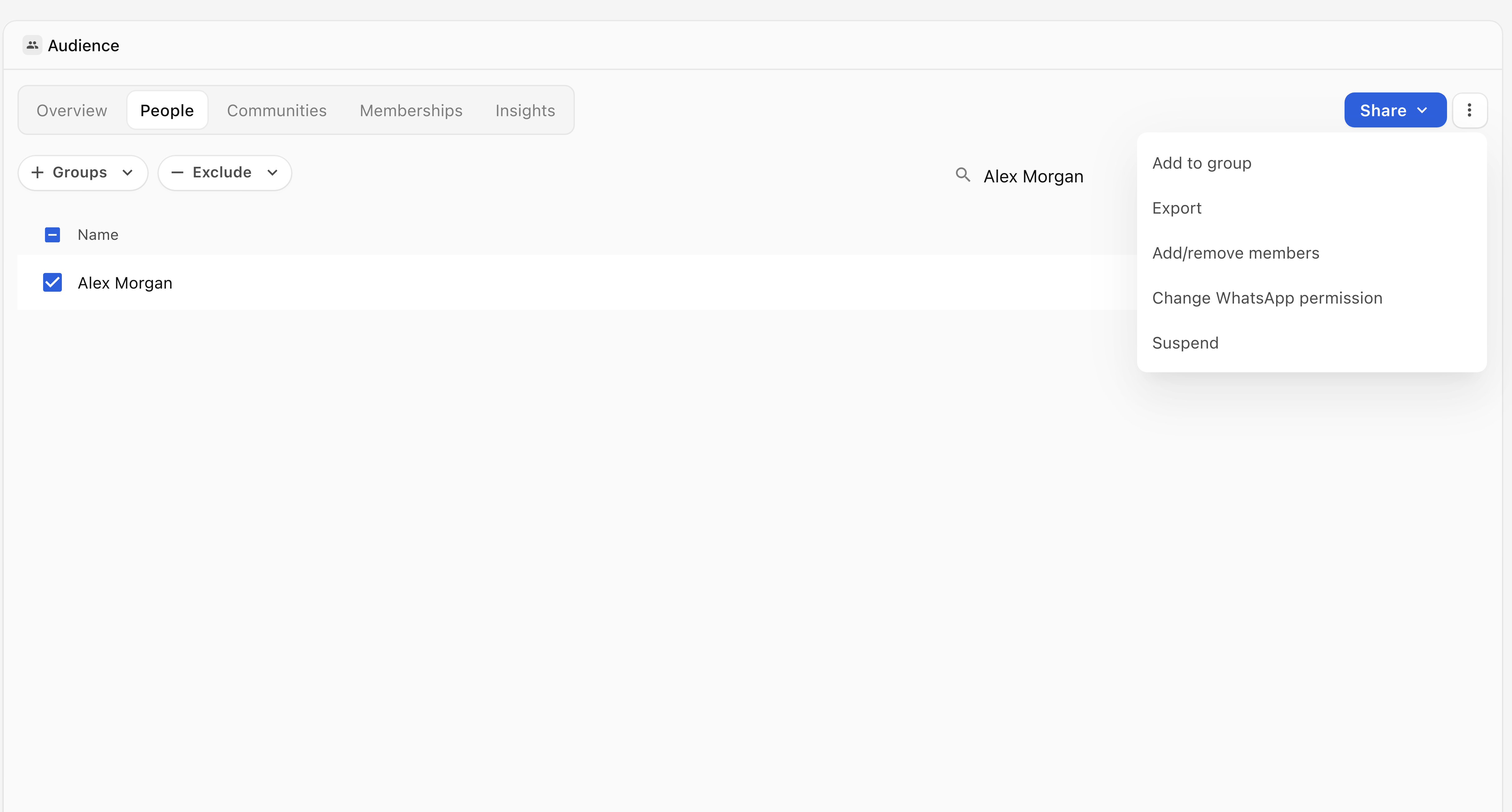
- Select the people you want to export using the list’s selection controls. Check the selection before continuing.
- Open the selection’s More options menu and select Export.
- Check that your browser downloads a CSV file for the selection.
Treat the file as personal data and share it only where needed. If the export is unavailable or you need a different data copy, use the support steps below and describe the scope you need. Privacy requests can be sent to legal@bash.social.
Stop syncing a provider audience
To stop importing updates from a Brevo or Mailchimp list, disconnect that provider from Settings → Integrations. People already imported to Audience and their email preferences remain. See Stop syncing a list for the steps.
Manage cookies
- When BASH shows a privacy banner, read it and the linked Cookie Notice.
- Choose the option you want:
- On the website, select Decline or Accept all.
- In the dashboard, select Accept essential cookies only or Accept all cookies.
- Check that the banner closes after you choose.

If you have already made a choice and need help changing it, use the support steps below.
You can also delete or block cookies in your browser settings. This may sign you out or affect saved preferences and features. Removing cookies does not delete your BASH account or the personal data held for it.
For help using a control:
- Select Need more help? Message support below this article.
- Add the step reached and error shown.
- Select Open support message and review your draft before sending it. Use the privacy email above for a personal data request.